Mastering Visual Communication with the Infographic Template with 5 Style
In today's fast-paced digital landscape, the ability to convey complex information quickly and clearly is a superpower. Whether you are a marketing professional, an educator, or a business owner, your audience is constantly bombarded with data. Cutting through that noise requires more than just good writing; it demands compelling visual storytelling. This is where the Infographic Template with 5 Style becomes an indispensable resource. It is not merely a collection of graphics; it is a comprehensive solution designed to streamline your design workflow, ensuring that your message resonates regardless of the platform or medium.
The core challenge many professionals face is the gap between having valuable data and presenting it in a way that is engaging. Creating high-quality infographics from scratch can be time-consuming and technically demanding. You might have the insights, but lacking the design skills or the hours to dedicate to vector illustration can stall your projects. The Infographic Template with 5 Style addresses this pain point directly by providing a robust foundation of fully editable elements. With five distinct stylistic variations included in the package, you gain the flexibility to match your brand identity or the specific tone of your project without starting from a blank canvas.
Bridging the Gap Between Data and Design
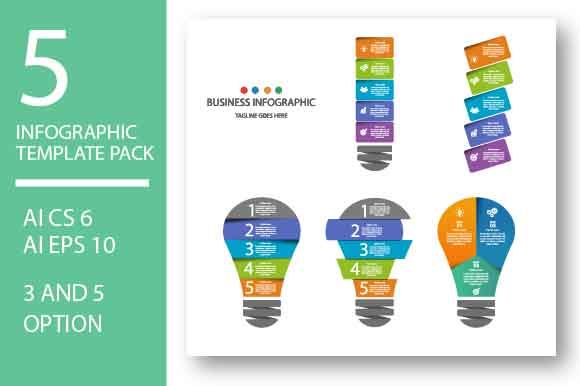
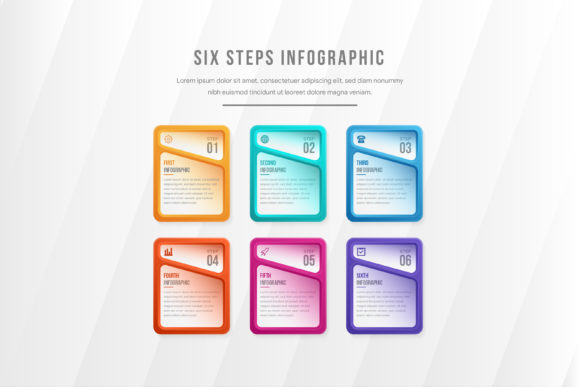
One of the primary goals for anyone using visual aids is clarity. When viewers look at a chart or a process flow, they should understand the narrative within seconds. However, generic templates often fail to offer the customization needed to make data feel unique to your organization. This template pack solves that by offering 100 AI and EPS vectors that are completely modular. Because these elements are vector-based, they are resolution-independent. This means you can scale a small icon up to the size of a billboard without losing any quality, or shrink it down for a mobile screen while maintaining crisp edges.
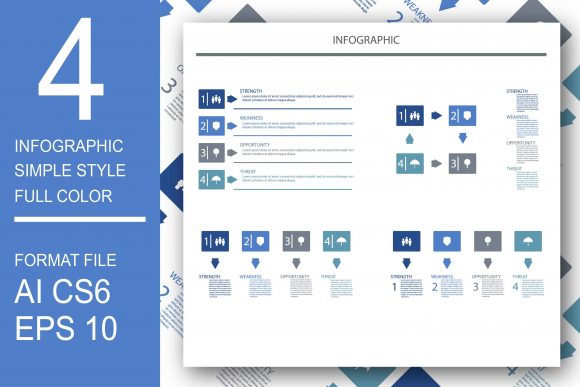
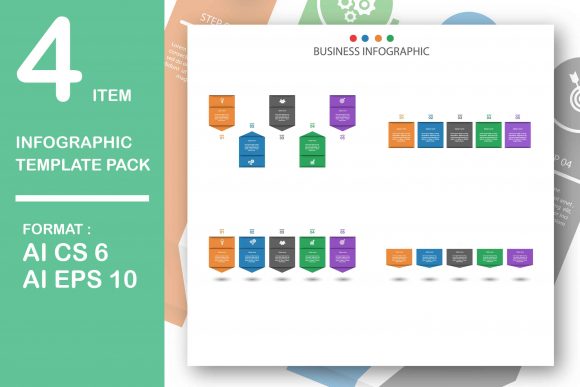
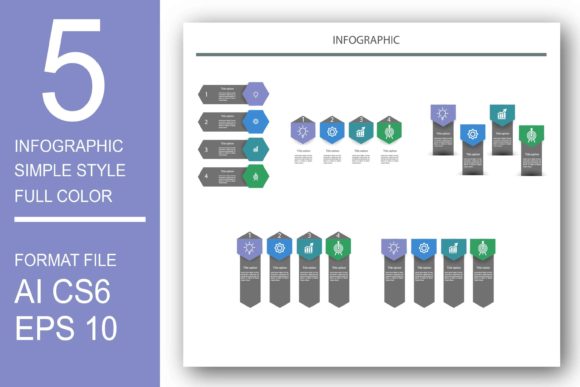
The inclusion of both AI CS6 and AI EPS10 file formats ensures compatibility across a wide range of software versions. Whether your team is running the latest Creative Cloud suite or relying on older, stable versions like CS6, you can integrate these assets seamlessly. This universality removes technical barriers, allowing you to focus on the content rather than fighting with file compatibility issues. The editable nature of these vectors means you can change colors, adjust shapes, and rearrange components to fit your specific data sets perfectly.
Versatile Applications for Print and Digital Media
The utility of the Infographic Template with 5 Style extends far beyond a single use case. Its design philosophy centers on adaptability, making it a powerful tool for both print and digital environments. For print design works, such as posters, brochures, and annual reports, the high-resolution vector files ensure that the final output looks professional and sharp. Imagine creating a corporate brochure that needs to explain a complex supply chain. With these templates, you can drag and drop the relevant icons, customize the flow, and export a print-ready file that elevates the perceived value of your document.
Conversely, the needs of the web and mobile sites are quite different. Here, load times and responsiveness are critical. Element infographics from this pack can be easily measured and optimized for web use. Because the content is built on clean vector paths, it can be exported into lightweight PNG and JPEG formats that load quickly on browsers while retaining visual fidelity. This dual capability makes the template an efficient choice for teams managing omnichannel campaigns where consistency between print collateral and online assets is essential.
Enhancing Presentations and Educational Materials
Beyond static documents, these graphics are incredibly useful for PowerPoint templates. Presentations often suffer from "death by bullet points," where audiences disengage due to text-heavy slides. By incorporating elements from the Infographic Template with 5 Style, you can transform dry statistics into dynamic visual stories. The five different styles allow you to tailor the look of your presentation to the occasion—perhaps a modern, flat design for a tech startup pitch, or a more detailed, illustrative style for an academic lecture.
Educators and trainers will find particular value in the modularity of the 100 included vectors. You can build custom diagrams to explain historical timelines, scientific processes, or organizational structures. The ability to edit every node and line means you are not constrained by pre-set layouts. You can highlight specific data points, change color codes to denote urgency or importance, and create a visual hierarchy that guides the viewer's eye exactly where you want it to go.
Practical Implementation Strategies
To get the most out of this resource, it is helpful to approach your project with a clear strategy. Different users will leverage the Infographic Template with 5 Style in unique ways based on their specific objectives:
- Marketers can use the templates to create shareable social media assets that simplify industry trends, driving engagement and backlinks to their websites.
- Corporate Communicators can utilize the EPS10 files to produce internal newsletters that make company metrics accessible to all employees, fostering transparency.
- Web Designers can extract individual icons to use as UI elements, ensuring a cohesive visual language throughout a website's interface.
- Consultants can rapidly prototype client proposals, using the editable vectors to visualize strategies and projected outcomes before the final report is written.
A key recommendation for implementation is to establish a color palette before you begin editing. While the templates come with default colors, aligning them with your brand guidelines early in the process saves time later. Since the files are fully editable in Adobe Illustrator, you can use the global color swatch feature to update the entire infographic instantly if your branding evolves.
Why Vector Editing Software Matters
The true power of this template pack is unlocked when used with vector editing software such as Adobe Illustrator. Unlike raster images (pixels), vectors are mathematical paths. This distinction is crucial for professional work. When you need to tweak a curve, extend a line, or merge two shapes to create a new icon, vector software provides the precision required. The Infographic Template with 5 Style is structured logically within the AI files, with layers organized for easy navigation. This thoughtful organization means you spend less time hunting for elements and more time refining your message.
Furthermore, the export options provide flexibility for final delivery. Once your design is complete in Illustrator, you can export specific sections as high-quality PNGs with transparent backgrounds for web overlays, or generate JPEGs for email campaigns. The ability to measure content easily ensures that your infographics fit perfectly within designated content management system (CMS) slots or print bleeds, reducing the risk of formatting errors during publication.
Conclusion: Elevating Your Visual Content
In a world where attention is the scarcest resource, the Infographic Template with 5 Style offers a practical, efficient, and professional solution for visual communication. It bridges the gap between raw data and audience understanding, providing the tools necessary to create stunning visuals for print, web, and presentations. By leveraging the 100 fully editable AI and EPS vectors, you gain the freedom to customize, scale, and adapt your content to any situation. Whether you are designing a simple brochure or a complex interactive web feature, this template pack empowers you to tell your story with clarity and impact. Embrace the versatility of vector graphics and transform the way you present information today.